Buying the Wrong Clicks: How to Stop Paying for Searches That Never Convert
By Jon Roland · July 10, 2026

There is a quiet way to lose money on Google Ads that never shows up as a bad ad. Your copy is fine. Your landing page matches. And you are still bleeding budget, because Google is showing your ad to people who were never going to buy from you. They click. You pay. They leave. Not because the ad failed them, but because they were the wrong person to reach in the first place.
The first post in this series named loose targeting as one of three reasons ads fail, and it got a single section. It deserves a whole post, because on most small accounts it is the single biggest leak. The second post went inside the buyer's head to answer the objections that stop a click. This one steps back further, to the question underneath both: is your ad even in front of a buyer, or are you paying to be seen by researchers, job seekers, and bargain hunters who will never spend a dime?
Here is where the wrong clicks come from, and how to shut each one off.
1. You handed Google a blank check with broad match
When you launch, Google quietly nudges you toward broad match, and broad match is built to spend. Bid on "plumber" and Google feels free to show you for "plumber salary," "how to fix a leaking tap," and "plumbing apprenticeships near me." Every one of those is a click you pay for. Not one of them is a customer.
The trap is that broad match looks like it is working. Impressions climb, clicks climb, the dashboard turns green. Meanwhile your money is going to a student researching a school project and a job seeker updating a resume.
What to do: start on phrase match, the keyword in quotes, and nothing looser. Phrase match still catches the natural variations of what buyers actually type, but it stops Google from wandering off into the whole neighborhood of your topic. Do not touch broad match until you have at least 30 days of real conversion data telling you which searches actually pay. After that, add exact match, the keyword in brackets, for your proven winners. Loose match types are a privilege you earn with data, not a setting you flip on day one. That discipline matters even more now that Google has started expanding targeting automatically through AI Max. See what AI Max means for your ads for how that same broad match risk shows up with a bigger engine behind it.
2. You are bidding on words buyers and browsers both use

The deeper problem is that the same topic carries two completely different intents, and only one of them has a credit card out. "Emergency electrician" and "emergency electrician cost" are buyers. "How to wire an outlet" and "electrician salary Texas" are not. If your keywords do not sort for intent, you are paying to reach both.
There is a reliable tell. Searches that start with "how to" or "what is," or that contain "free," "cheap," "jobs," "salary," "training," "course," or "best practices," are almost never buyers. They are people learning, job hunting, or planning to do it themselves. A buyer's language sounds different. It leans on words like "near me," "cost," "quote," "same day," "service," "hire," and "book," wrapped around the specifics of their actual problem.
We looked at one home service account that was pouring close to a third of its budget into "how to" and "free" searches before anyone opened the report to check. The owner was not running bad ads. He was funding a small army of do-it-yourselfers.
What to do: before you launch, split your keywords into two piles, buyer language and researcher language, and only bid on the first pile. Then build each ad group tight around one intent so the copy can speak straight to it. An ad group built around "emergency" should not share space with one built around "cost." Matching the ad to the exact search is how you turn a click into a call.
3. You never told Google who not to show

Even a clean keyword list leaks, because Google keeps finding new phrases to match you to. The fix is the least glamorous habit in all of paid search, and the one that separates profitable accounts from money pits: negative keywords, added every single week.
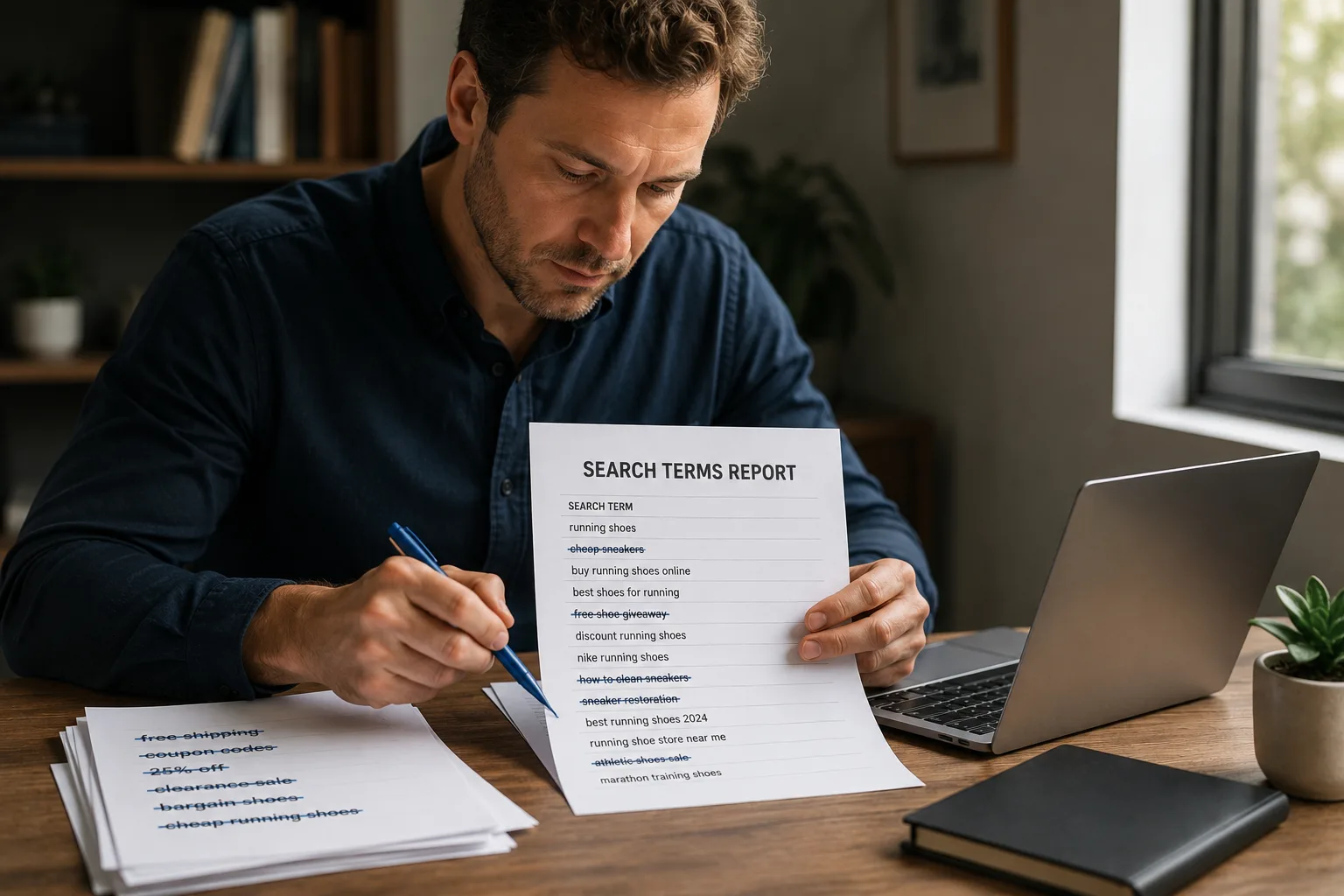
Open your search terms report, the list of the actual phrases people typed to trigger your ad, not the keywords you chose. This is where the truth lives. You will find "free." You will find "jobs." You will find searches that have nothing to do with what you sell. Every one of those is a negative keyword waiting to be added, and every negative you add is budget handed back to the searches that convert.
What to do: put a 15-minute block on your calendar every week for the first month, then monthly after that. Read the search terms report, add negatives for every researcher, job seeker, and freebie hunter you find, and watch your cost per real lead drop while your spend stays flat. You are not trying to get more clicks. You are trying to stop buying the wrong ones.
The pattern behind all three
Notice the through-line. Broad match, mixed intent, and missing negatives are the same mistake wearing three hats: letting Google decide who sees your ad instead of deciding it yourself. Every wrong click is a small vote for the wrong audience, and they add up to a budget that looks busy and produces nothing. The ad was never the problem. The room it was shown in was. If the whole account still feels like a specialist's job, read why you do not need to be a marketer to run Google Ads.
That is part of the blind spot CouncilAds was built to close. Before you spend a dollar of your ad budget, CouncilAds runs your ad past a council of 12 buyer personas, each modeled on real small business buyer psychology, from the price-sensitive skeptic to the ready-to-buy decision maker. They tell you who your ad is actually speaking to, who would click, who would scroll past, and whether the words you chose are pulling in buyers or browsers. You get to fix the aim while it is still free to fix.
If you want more breakdowns like this, you can Add CouncilAds as a Google Preferred Source on Google at https://google.com/preferences/source?q=councilads.com. That way our Council Notes show up when you are searching for real answers about your ads.
The clicks you are paying for are not all created equal. Some are customers and some are noise, and the difference is decided before anyone ever sees your ad. Aim it at the right room before you fund it.
Ready to see who your ad is really pulling in before you pay for a single click? Test your ad free at councilads.com.